Android APK or iOS browser — whichever you prefer, 444kc is always ready. Download, log in, and start playing.
444kc Mobile App — Android & iOS Supported
Android, iOS, or desktop — 444kc works fully on every platform. Play seamlessly across all your devices with a single account.
Download the APK file directly and install it without Google Play — takes just 30 seconds. Supported on Android 6.0 and above.
Open 444kc directly in Safari on your iPhone or iPad. Use PWA support to add an icon to your home screen and use it just like a native app.
Windows or Mac — access 444kc.vu directly from any modern browser including Chrome, Firefox, or Edge. No installation required.
Installing the 444kc app is quick and easy. Just follow the steps below — the entire process takes no more than 2 minutes.
Click the latest APK file link on the official 444kc website. The file is typically 30–50 MB in size.
Go to Settings → Security → enable "Unknown Sources". This only needs to be done once and is completely safe.
Tap the downloaded file and press the "Install" button. Installation completes within 30 seconds.
Open the app, log in to your account or create a new one — then start playing.
444kc Android APK Installation Guide
| Category | Android | IOS / Safari | Desktop Browser |
|---|---|---|---|
| Operating System | Android 6.0+ | IOS 12.0+ | Windows 10 / macOS 10.14+ |
| RAM | 2 GB or more | 2 GB or more | 4 GB or more |
| Storage | 50 MB free space | PWA — Minimum | Not Required |
| Internet | 3G / 4G / WiFi | 3G / 4G / WiFi | Broadband / WiFi |
| Browser Support | Chrome, Firefox | Safari, Chrome | Chrome, Edge, Firefox |
| Status | Fully Supported | PWA Supported | Fully Supported |
Online gaming in Bangladesh is no longer tied to a desktop. Whether at home, at the office, or on the go, people want to play from their smartphones — and 444kc is built exactly for that.
The first thing you'll notice when you log in to the 444kc app is the speed. Games load before the page even finishes rendering — that's not an exaggeration, it's the real experience. The difference is especially noticeable in Live Casino.
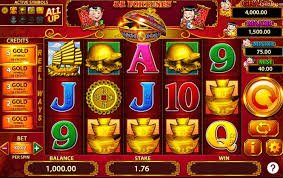
Touch controls make playing slots on mobile a far more comfortable experience. 444kc's slot games are optimised specifically for mobile screens — large buttons, crisp graphics, and easy-to-read information all make the difference.
Never miss a new bonus or tournament with push notifications. Whenever 444kc rolls out a special offer, your phone gets an instant alert.
444kc Mobile Gaming — Fast & Reliable
Games load in just 2–3 seconds even on a 3G network. 444kc is specially optimised to deliver a smooth experience even on slower connections.
The 444kc app is built to use minimal CPU and RAM, so your phone won't overheat or drain its battery even after hours of play.
444kc app defaults to dark mode to be easy on your eyes — no eye strain even during late-night sessions.
New bonuses, live tournament kicks-offs, deposit confirmations — all updates delivered straight to your phone.
Log in with a single touch using fingerprint or Face ID. No more typing passwords.
The 444kc app updates itself to the latest version automatically. No separate download is needed when new games or features are added.
444kc Download — Safe & Verified APK
Many people wonder — is it safe to download an APK from outside Google Play? For 444kc, the answer is yes, absolutely. The 444kc APK is served directly from the official server, with no third-party involvement.
Every APK file is digitally signed and verified with a SHA-256 checksum. If your phone cannot confirm the file is safe during installation, the process is automatically cancelled.
The 444kc app does not access any unnecessary data on your device. Only the permissions required to run games and process payments are requested. To learn more about our privacy policy, Click Here।
Thousands of users across Bangladesh play on the 444kc app every day — from Dhaka, Chattogram, Sylhet, and Rajshahi to every corner of the country. Their trust and experience speak to 444kc's reliability as a platform.
Warning: Only download the APK from 444kc's official website. Downloading from unauthorised third-party sites can be dangerous.
Apple's guidelines don't allow direct APK installation on iOS. However, 444kc's web platform is so well-optimised that using it in Safari or Chrome feels just like a native app.
Open Safari on your iPhone and type 444kc.vu in the address bar.
Tap the Share icon in the bottom toolbar (the box with an upward arrow).
Select "Add to Home Screen" from the menu, then tap "Add".
The 444kc icon will now appear on your home screen — open it just like a native app.
iOS Tips: Using 444kc in Safari gives you full-screen mode, swipe navigation, and smooth animations — with no issues in Live Casino either.
PWA technology caches some content locally, so pages load quickly even on a weak network connection.
Log in to 444kc on your iOS device quickly and securely using Face ID or Touch ID.
Download, register, and complete your first deposit in just 2 minutes. Your welcome bonus is waiting.